Simple Mouth Animator: lip-sync a mouth to a voice, for free
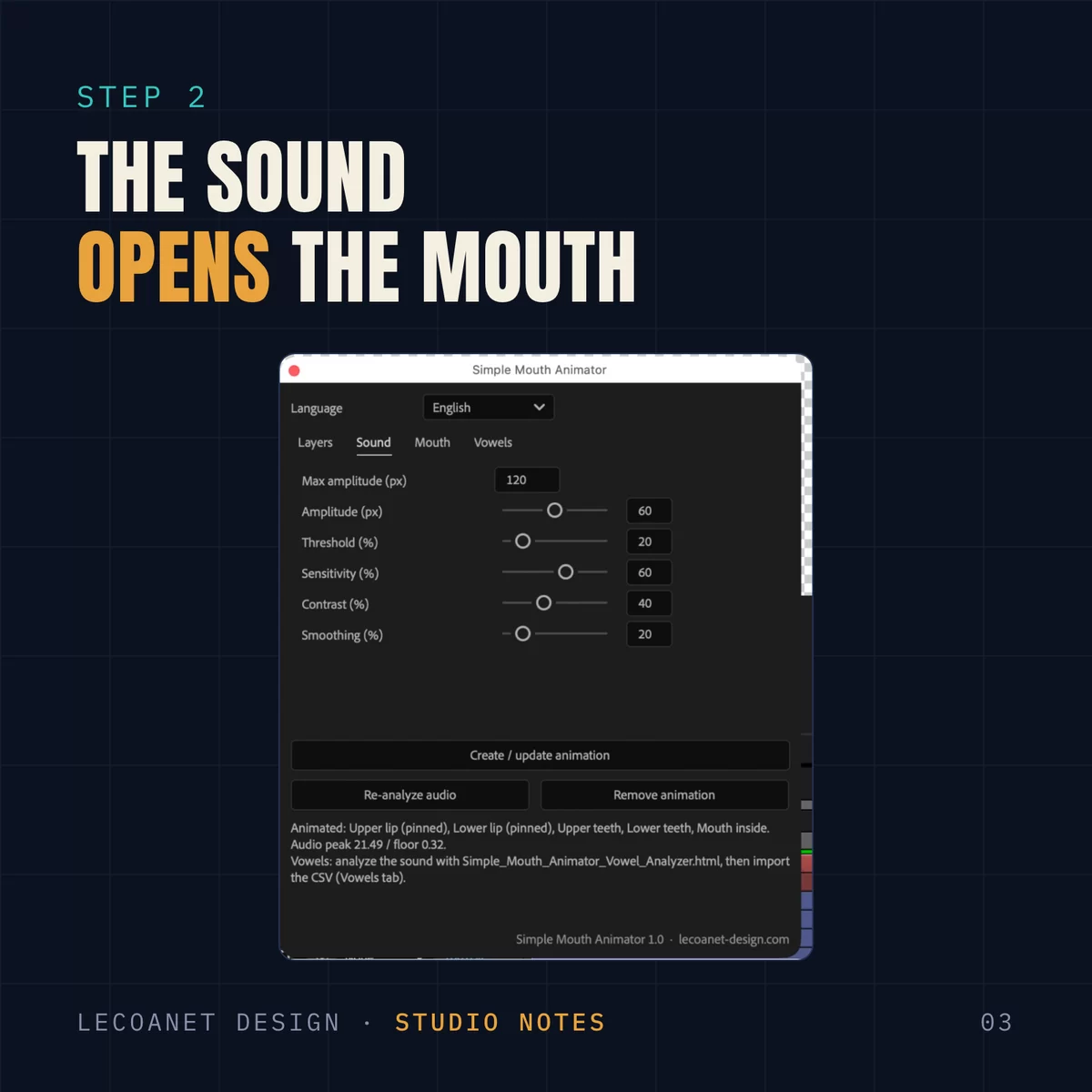
Simple Mouth Animator is a free After Effects panel. Give it a sound track and your mouth layers, and it builds the animation. The lips open with the voice, the corners stay pinned, and the mouth rounds on “O” and stretches on “EE”. The panel speaks English, French and Spanish.
Animating a mouth frame by frame over thirty seconds of dialogue takes half a day. For a side character, an explainer or a mascot, that is often more than the budget allows. So I wrote a script that does most of the work from the sound, and keeps every setting within reach for touch-ups.
The pack includes the script, the vowel analyzer, an Illustrator mouth, a demo project and sample voices in English, French and Spanish, so you can try it in five minutes.
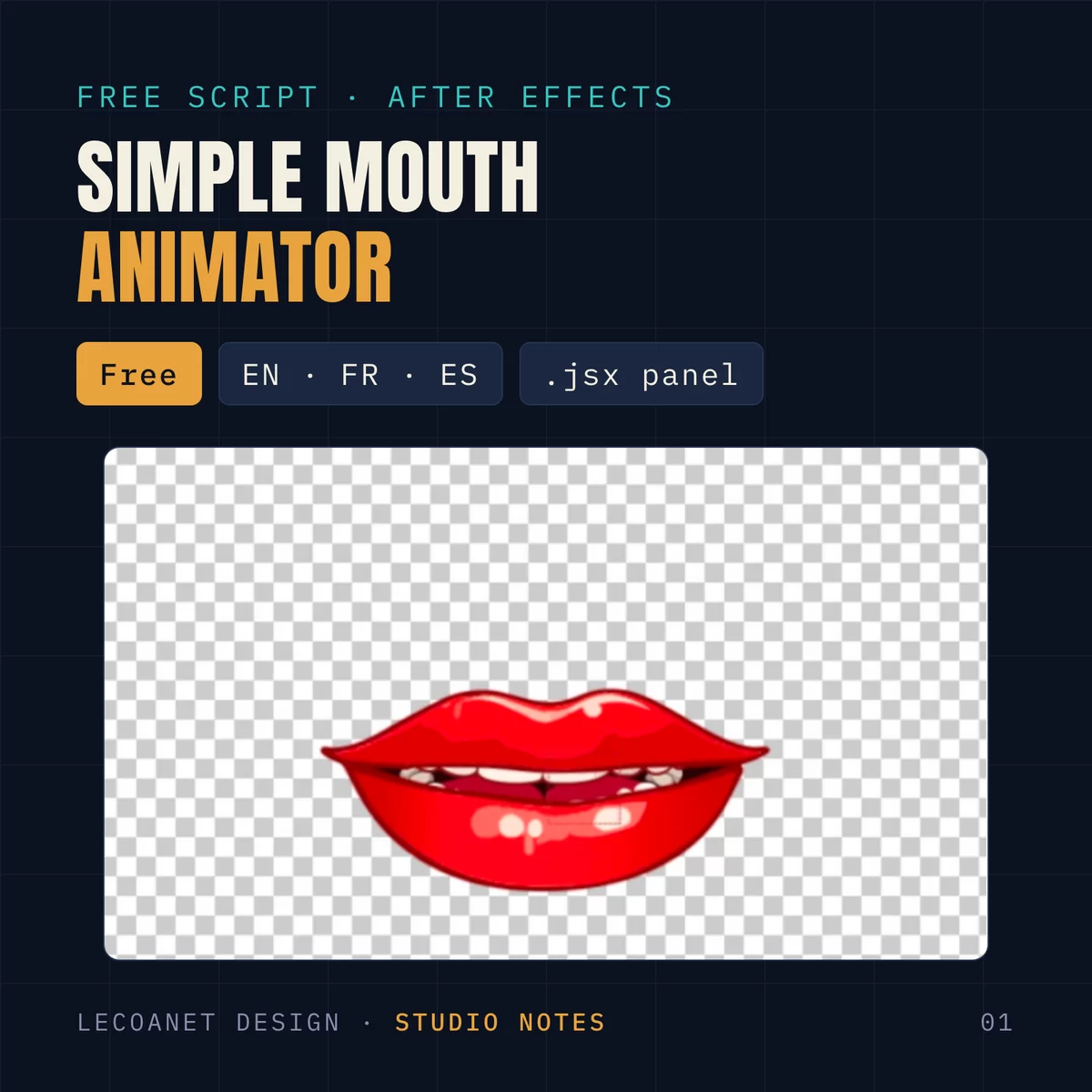
A 3 MB zip: the .jsx script, the vowel analyzer, the Illustrator mouth, a demo project, three sample voices (English, French, Spanish) with their analysis, and a read-me. Free for personal and commercial projects.
Install the panel
- To try it: File → Scripts → Run Script File…, then pick Simple_Mouth_Animator.jsx.
- To dock it: copy the .jsx into After Effects’ Scripts/ScriptUI Panels folder, restart, and open it from the Window menu.
- Keep the analyzer’s .html file next to the script.
The panel starts in After Effects’ language. A menu at the top switches it to English, French or Spanish, and it remembers your choice.
1. Assign your layers
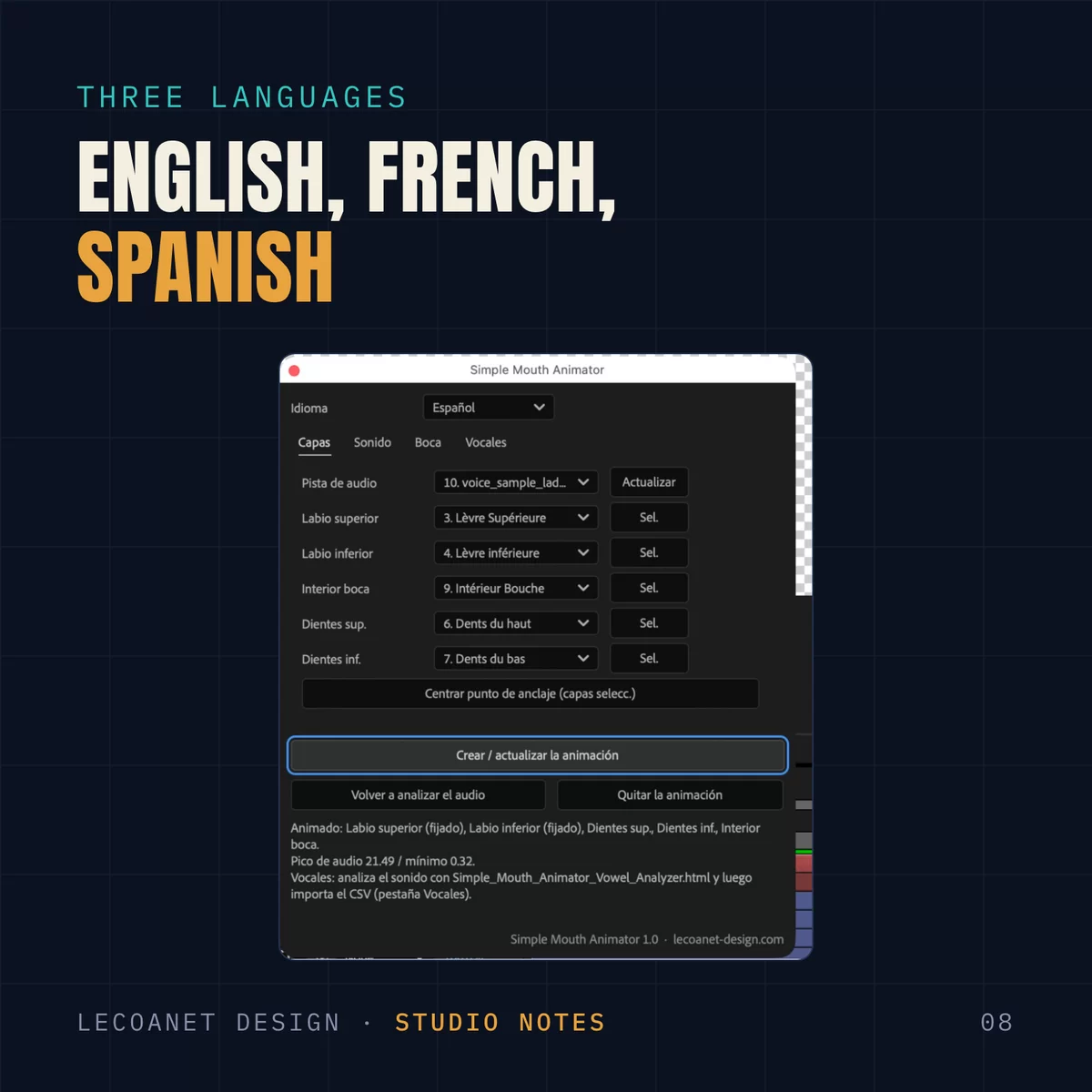
Build your mouth with one layer per part: upper lip, lower lip, mouth inside, upper teeth, lower teeth. The pack’s Lady_Mouth.ai is already split that way: import it as a composition and add the voice to the comp.
In the Layers tab, pick the audio track, then assign each layer from its list (or select it in the timeline and click Sel.). No role is required: two lips are enough.
Click Create / update animation. The script converts the audio to keyframes, adds a Mouth Control layer, and links your layers to the sound with expressions.
2. Tune how the sound opens the mouth
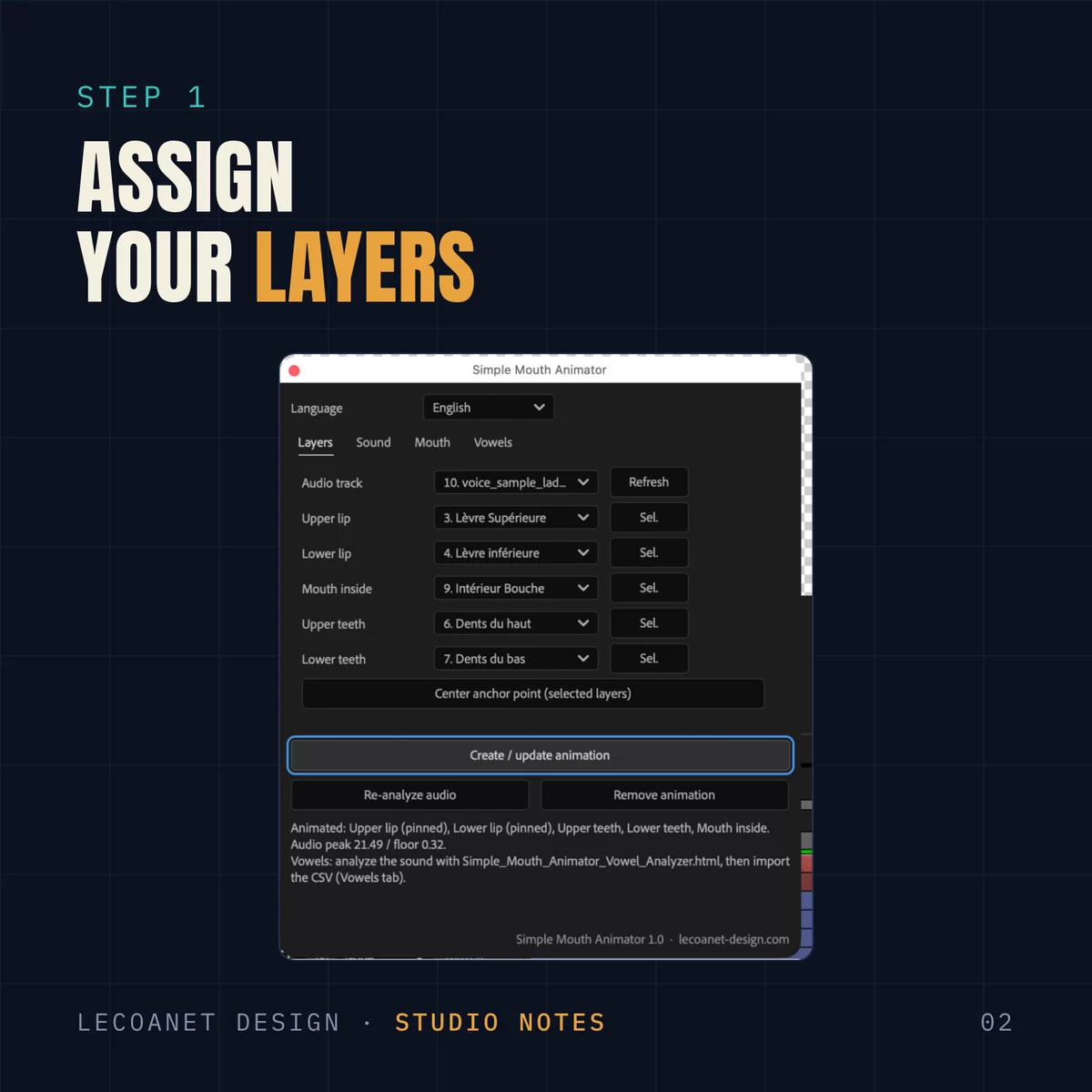
The Sound tab sets how the voice drives the opening:
- Amplitude: the widest opening, in pixels.
- Threshold: below it, the mouth stays shut. It cuts breaths and room noise.
- Sensitivity and contrast: make the mouth react to quieter syllables, or punch up the attacks.
- Smoothing: keeps the mouth from jittering.
The script measures the track’s peak and floor on its own. If you swap the voice, Re-analyze audio measures again.
3. Pin the corners of the mouth
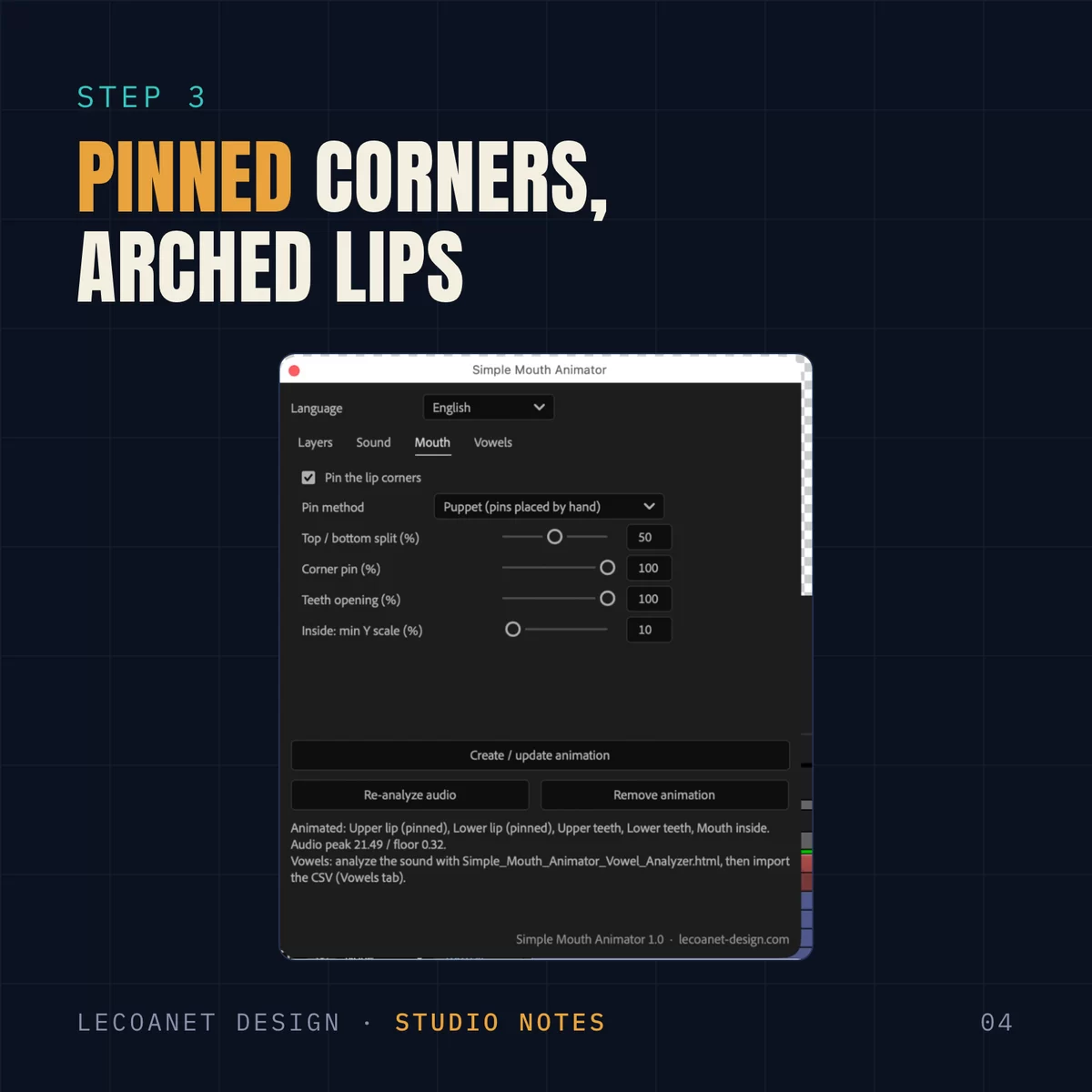
A lip that moves up and down in one piece looks like a puppet. In the Mouth tab, Pin the lip corners keeps the corners still while the middle of each lip opens in an arch.
- Puppet method (recommended): with the Puppet Position Pin tool (⌘ P), place a pin on each corner and at least one in the middle of each lip, then click Create again. The script finds the corner pins and animates the others.
- Automatic method: on a shape layer, the script bends the paths directly; on other layers, it adds a Bezier Warp effect.
This tab also sets how the opening splits between top and bottom, how far the teeth open, and the inside’s minimum scale.
4. Analyze the vowels
Loudness tells when the mouth opens, not what shape it takes. An “O” rounds the lips, an “EE” stretches them. After Effects can’t tell them apart, hence the small tool that comes with the script.
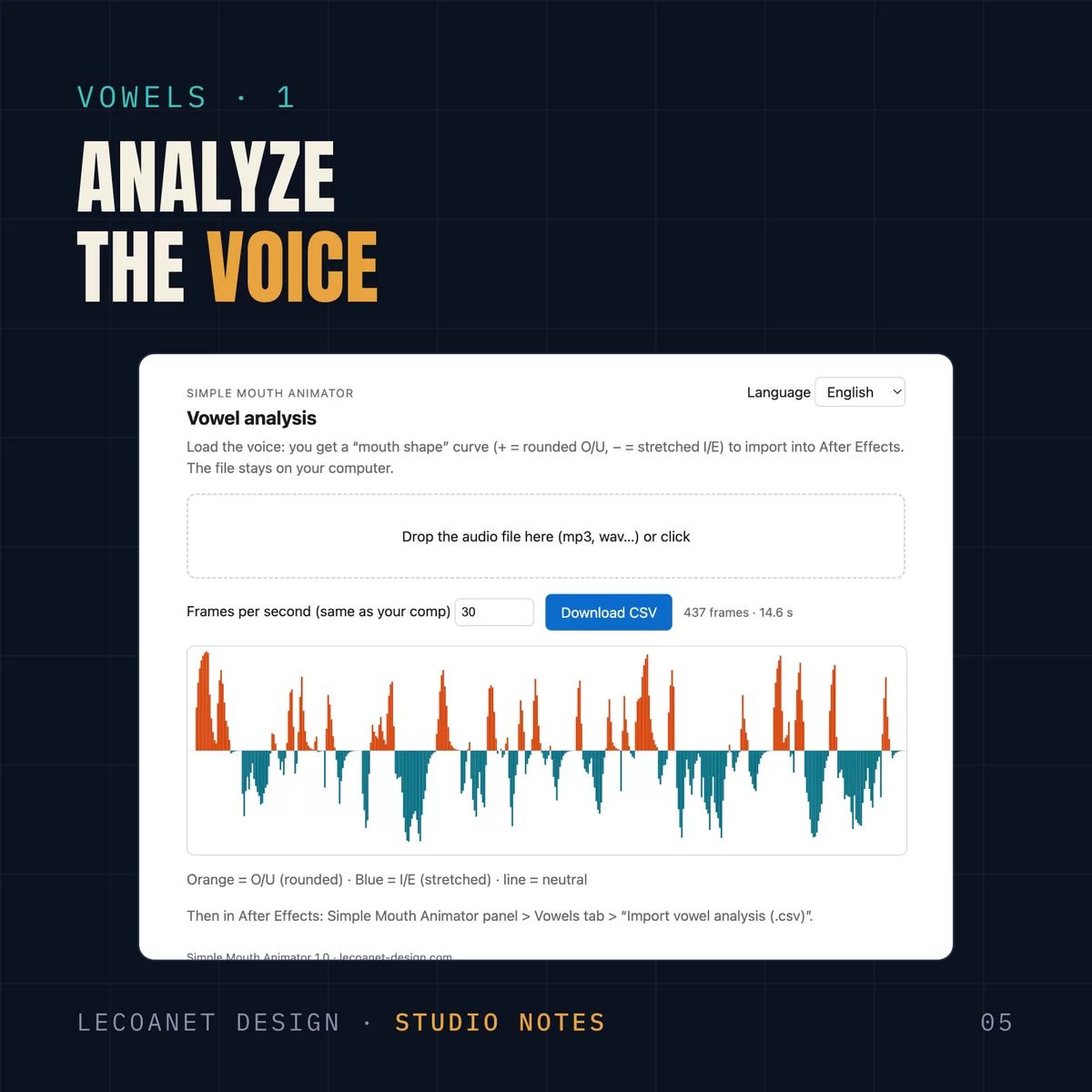
- Open Simple_Mouth_Animator_Vowel_Analyzer.html in your browser.
- Drop the voice file on it. Everything runs on your computer: nothing is uploaded.
- Enter your comp’s frame rate, then click Download CSV.
The curve shows the result: orange for rounded vowels (O, OO), blue for stretched ones (EE, AY).
5. Import the CSV
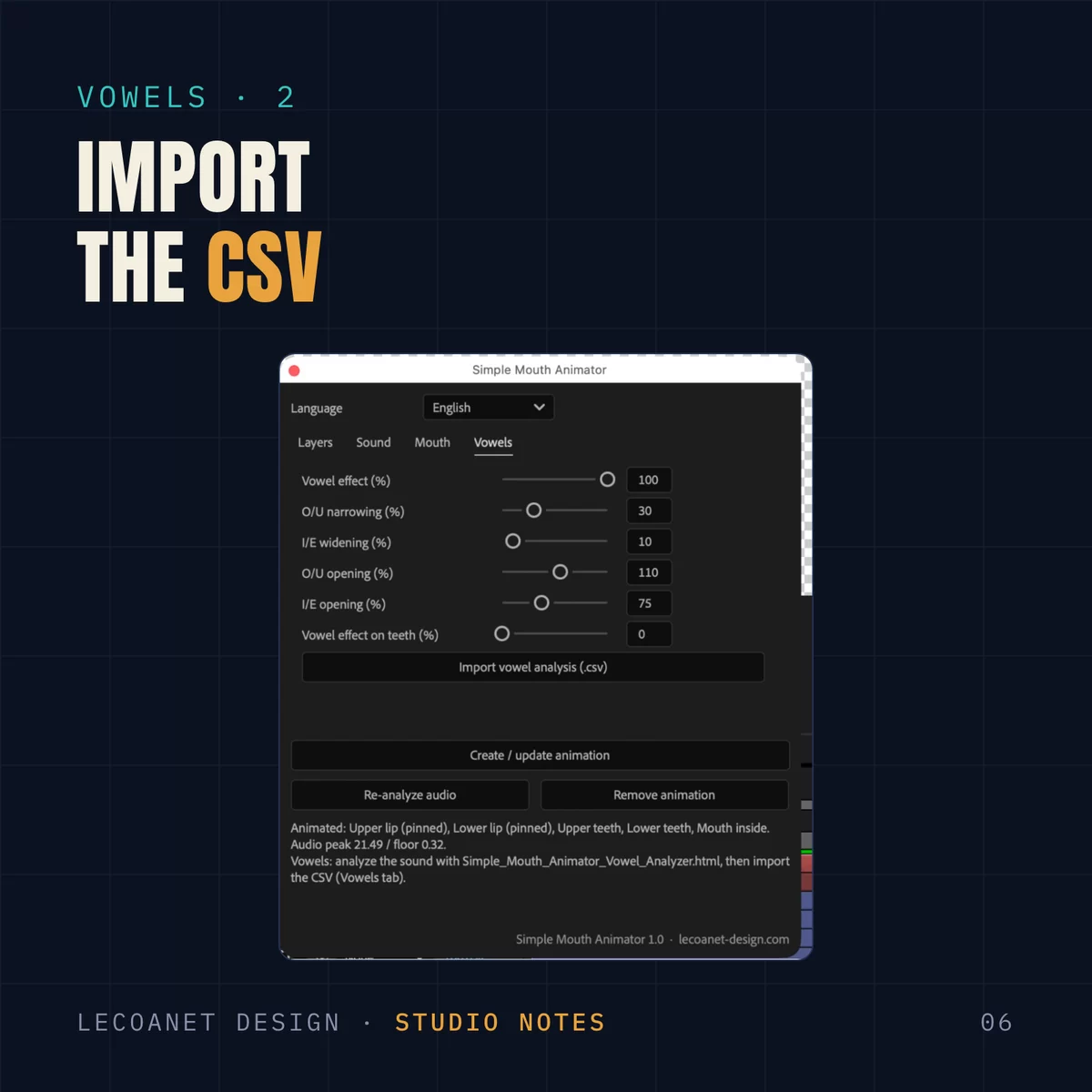
Back in After Effects, in the Vowels tab, click Import vowel analysis and pick the CSV. The script sets one keyframe per comp frame on the control layer (430 for the sample voice’s fifteen seconds).
The tab’s sliders set the strength: how much the mouth narrows on O and widens on EE, and how much more or less it opens. The mattes of the teeth and the inside follow the lips’ width, so the teeth never show past the corners.
The result
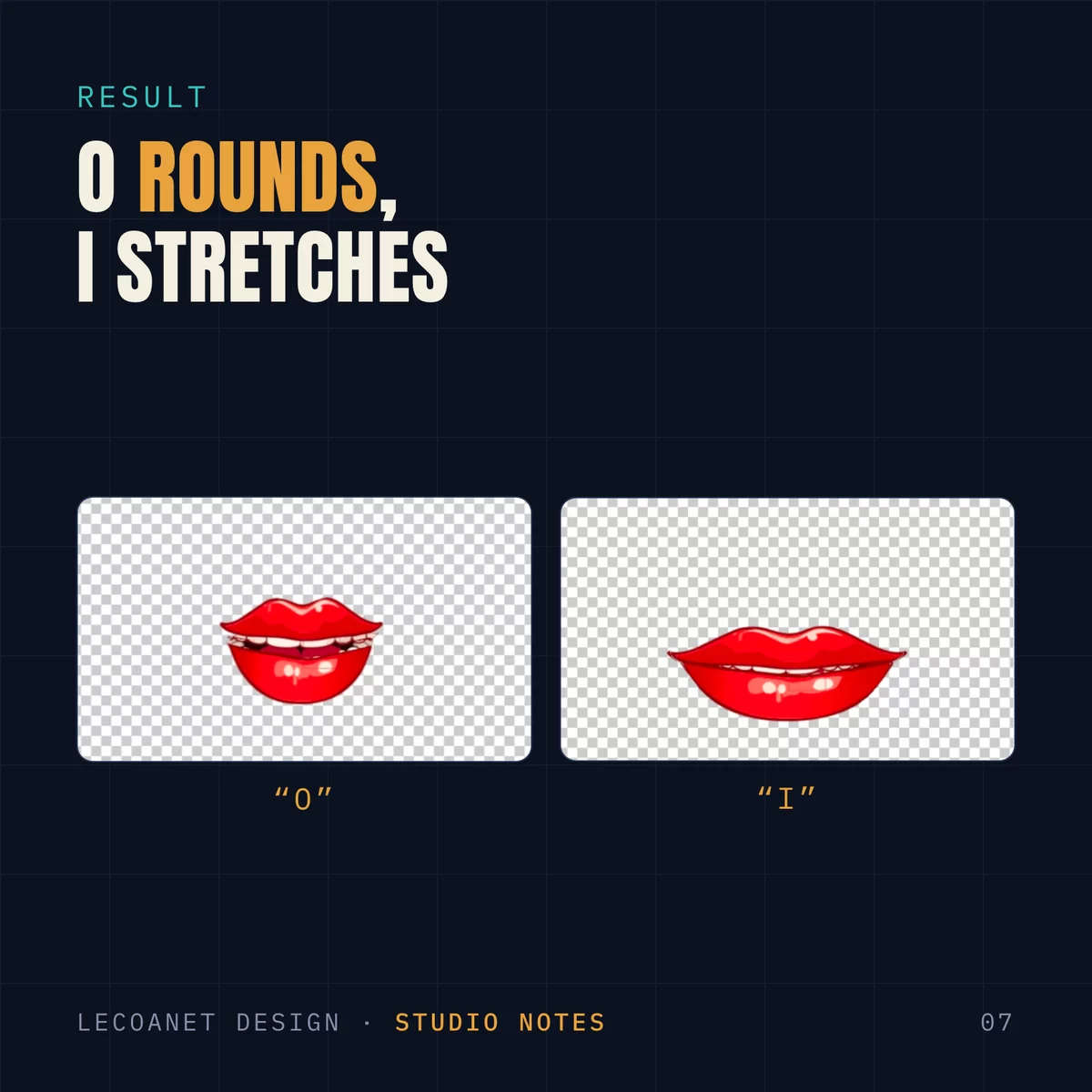
On an “O”, the mouth narrows and opens round. On an “EE”, it stretches wide and barely opens. Added to the opening driven by loudness, that is enough to make the character look like they articulate, without a single hand-set keyframe.
Good habits
- Save before running the script. Everything goes into a single undo step, but a save is safer.
- Everything stays editable: each setting is a slider on the Mouth Control layer. You can animate them, for instance to make a character shout one line.
- For the mouth inside, Center anchor point moves the anchor to the middle of the layer, so it scales from its center. Do the same for the teeth mattes.
- To undo it all, Remove animation takes off the expressions and the control layer. Your layers stay untouched.
- Switching the panel’s language breaks nothing: the names used in the comp stay in English.
Free for personal and commercial projects. Please don’t redistribute the pack: share this article’s link instead. A question, a bug? Leave a comment.
Comments